The AD FS WAP throws the error "The
operation stopped due to an unknown general error. Error Code 0x8007520C" and
it is reporting Critical Errors under the Operation Status. The AD FS
infrastructure is out of action when this is in this state.

From the Event Logs there
are multiple errors relating to the issue the first is Event 422 "Unable
to retrieve proxy configuration data from the Federation Service." It
also lists a Certificate Thumbprint that is nowhere to be found from the
certificate stores. I would expect this to be the thumbprint of the shared SSL
certificate that is also installed on the AD FS servers, but it is not.

Event 394 is also present "The federation
server proxy could not renew its trust with the Federation Service. Additional
Data, Exception Details: The proxy trust certificate specified by thumbprint
{0} has expired."

The following command can be used to try and
reset the AD FS WAP configuration. I found this from the following blog post http://www.concurrency.com/infrastructure/web-application-proxy-fails-error-code-0x8007520c/ unfortunately Shannon's fix
did not work for me in this instance.
Install-WebApplicationProxy
–CertificateThumbprint “thumbprint” –FederationServiceName “sso.domain.com”
|


It returned an error "The certificate that
is specified by the CertificateThumbprint parameter could not be found in the
Local Computer Personal Certificate Store", this was strange as I
confirmed the certificate was present, valid and had the matching thumbprint.

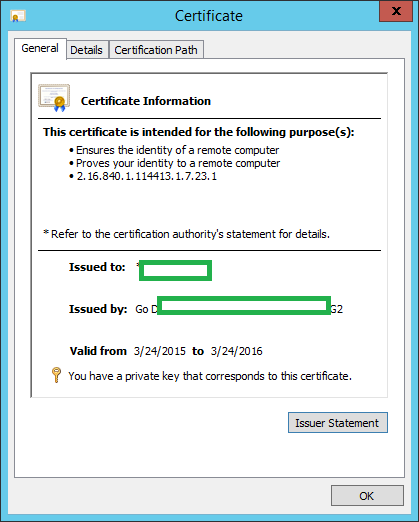

The next step was to remove
the Remote Access server role entirely and then reinstall and configure it. I
used the following PowerShell command, I also deleted the certificate that was
originally configured to work with the WAP so that I could reinstall it fresh.
This can be done from the CLI or from the Certificates MMC snap-in.
Remove-WindowsFeature
RemoteAccess, Web-Application-Proxy -Restart
|

Once the servers have
rebooted, reinstall the Remote Access (WAP) server role. Ensure the certificate
has been imported back in and it has the matching private key.
Install-WindowsFeature
RemoteAccess, Web-Application-Proxy -Restart
|
When you launch the
Remote Access Console you should be able to run the wizard again, once I did
this the WAP server worked as expected again. It was a strange problem which I
think was related to the certificate. If you have details on a fix without
blowing the config away please share below.


